Logo Convive Logo Convive
FR | EN
FR | EN
Wedding & Event Seating Chart Online

No more
seating chart
headaches.

Automatic placement, interactive floor plan, PDF export.
No Excel, no stress.

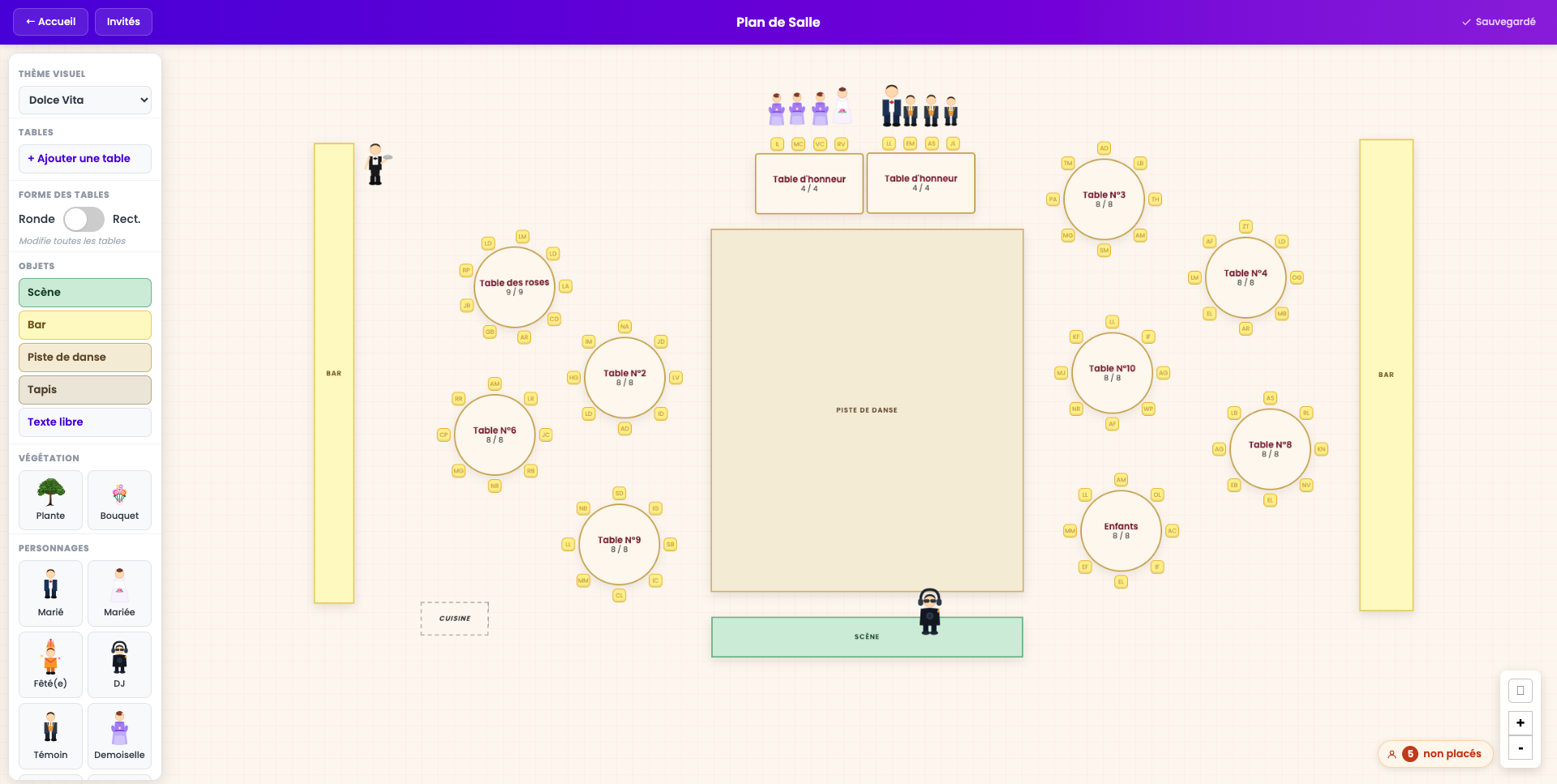
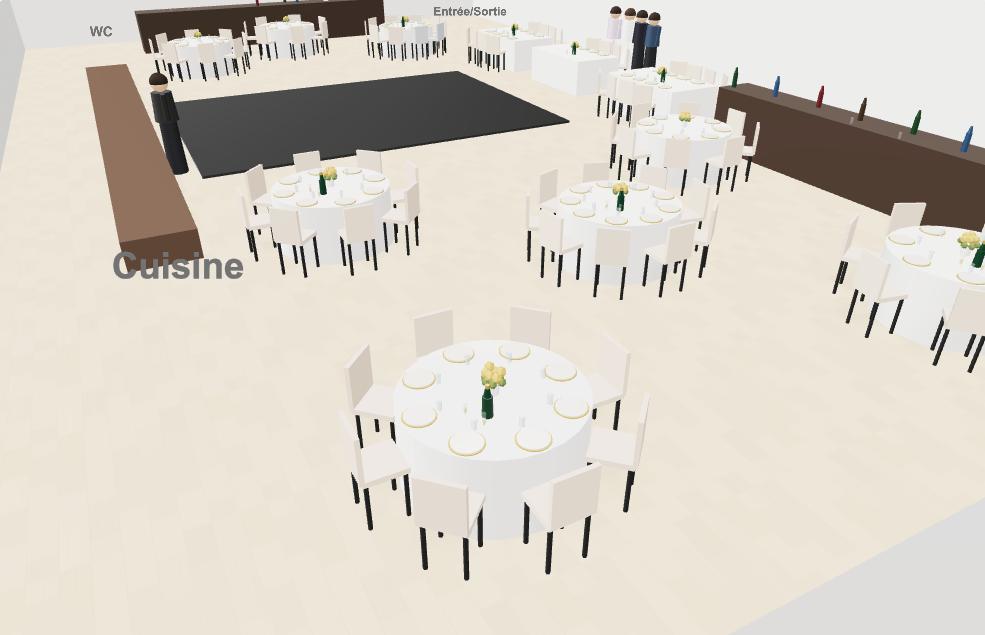
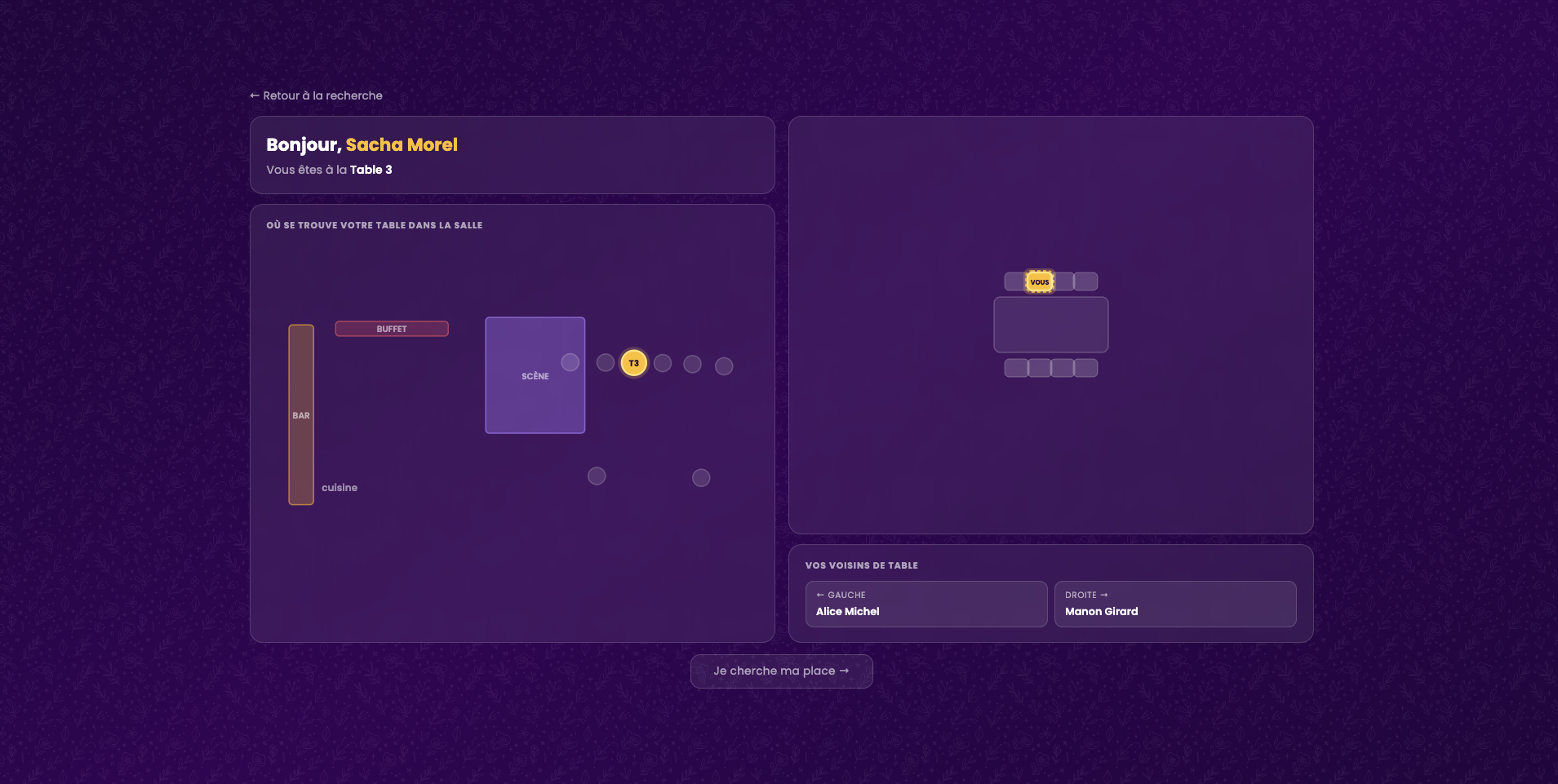
Preview of Convive's interactive seating chart interface
Start your seating chart right now
1,000+
Events created
30,000+
Guests seated
4.9/5
Average rating

Organising a seating chart shouldn't be a nightmare

Last-minute changes, guest relationships to juggle, room constraints: creating a seating chart quickly becomes a mess on paper or in Excel.

One small change can throw everything off… and cost you hours.

Convive was built to eliminate that friction.

3 simple steps

1

Create your event

Set the name, number of tables and capacity. Get your unique invitation link instantly.

2

Invite & place

Share the link. Your guests register themselves, then simply drag and drop groups onto tables.

3

Visualise & export

Arrange your room virtually, tweak the final details, and export your guest directory as a PDF in one click.

The feature you've been waiting for

Let Convive do the work

No more endless puzzle. Just set your rules and let our algorithm build the optimal seating chart for you in seconds.

  • Define categories: Group guests by "Family", "Friends", "Colleagues" and assign a colour.
  • Add social constraints: Make sure certain people sit together, and others apart.
  • Run the placement: Click a button and watch the magic happen.

Set your rules, for example:

😊
Smith family must sit with Johnson family
😠
Aunt Carol must NOT sit with Uncle Dave
🤝
Work colleagues should be seated together

What your guests fill in

🥩 Meat
🐟 Fish
🥗 Vegetarian
🌱 Vegan
Allergies or dietary requirements E.g. gluten-free, lactose intolerance…

Auto-summary included in your PDF

🥩 Meat
24 guests
🐟 Fish
14 guests
🥗 Vegetarian
8 guests
🌱 Vegan
3 guests

Menu management

No more Excel spreadsheets for your caterer

Enable meal preference collection on your invitation page. Guests pick their menu when they RSVP. You manage nothing.

  • Menu choice: Meat, fish, vegetarian or vegan, selected by each guest at registration.
  • Allergies & dietary needs: A free-text field lets guests flag gluten, lactose or any special requirement.
  • Sent to your caterer in one click: The event PDF includes the full meal breakdown, table by table.
Start my seating plan

Place cards

Print-ready place cards

Generate personalised place cards for every guest in one click. Each card shows the name and assigned table. Just print and set.

  • Auto-personalised: Name and table number pulled directly from your plan, no retyping.
  • Print-ready format: Export as PDF, cut, and place on tables.
  • Updated in real time: Change a seating assignment? Cards update instantly.
Start my seating plan

Tent card preview:

Sophie MARTIN Rose Table

A6 format · fold in half · stands on its own

livret_mariage_claire_thomas.pdf
MARIAGE CLAIRE & THOMAS
Page 5
Classement alphabétique — table assignée
A
Arnaud SophieTable des Roses
Aubert MarcTable Pivoine
B
Bernard ClaireTable Jasmin
Blanc ÉricTable des Roses
Bonnet JulieTable Pivoine
C
Chevalier LucTable Lilas
D
Dupont IsabelleTable Jasmin
Durant PaulTable Lilas
M
Martin JeanTable des Roses
Moreau AnneTable Pivoine
Moulin CécileTable Jasmin
R
Robert PierreTable Lilas

PDF Export

A complete booklet, print-ready

In one click, Convive generates a professional PDF booklet: seating chart, alphabetical guest directory with assigned tables, and a per-table meal breakdown for your caterer.

  • Seating chart: printable overview with every guest in their seat.
  • Alphabetical directory: name and table for each guest — ideal at the venue entrance.
  • Caterer summary: meat, fish, vegetarian and allergies, table by table.
Start my seating plan

See how to organise your event
in under 1 minute!

Watch the demo

Discover in under 1 minute how to create a seating chart and add your guests with ease.

Create your event now

Built for every type of event

Weddings

Manage families and friends without unnecessary tension.

Corporate events

Dinners, seminars, conferences.

Private gatherings

Birthdays, family reunions, large dinner parties.

They saved time (and their sanity)

Seating charts used to be their nightmare. Now it's a formality.

★★★★★

"We started on Excel but it got unreadable fast. Being able to move tables and see a visual layout was a game changer. Simple and effective for our 90 guests. We sorted it in one evening."

S
Sarah & MarcWedding
★★★★★

"Used it for my wife's surprise 40th. The tricky part was mixing school friends and work colleagues. The visual layout really helps you picture the vibe at each table. Totally worth it."

T
Thomas D.Birthday party
★★★★★

"Used it for our year-end company dinner. What I loved most was being able to quickly reshuffle when two colleagues dropped out that same morning, without starting over. Does the job perfectly."

E
Elodie M.Team dinner

A plan for every need

For your own wedding or as an event professional, start for free.

For individuals

Free

€0
free forever

To test the tool or manage a small event.

  • 1 event
  • Up to 40 guests
  • CSV import
Get started for free
Most popular

Single Event

€19
one-time payment

Perfect for a wedding or a large event.

  • Unlimited guests
  • Interactive floor plan
  • Automatic placement
  • Meal preferences
  • Printable place cards
  • Full PDF export
Choose this plan
or
For Wedding Planners

WP Pro

€9
per month · billed €108/year
Save 69% with annual billing

Manage all your client events without limits.

  • Unlimited events
  • Unlimited guests
  • All features
  • Priority support
  • Client portal for couples
Go Pro
New

Studio Pro

€29
per month · billed €348/year
Save 41% with annual billing

Give your clients a dedicated space to manage their guests.

  • Everything in WP Pro
  • Client portal for couples
  • Magic link per event
  • Clients export their own PDF
Choose Studio Pro

Are you a professional wedding planner? Discover our dedicated offer →

Are you a public organisation?

Convive supports purchase orders and invoiced payments for institutions. Contact us to set up your subscription.


Frequently asked questions

Create your event, set the number of tables and their capacity, then drag and drop your guests. A unique invitation link is generated so your guests can register themselves.
Yes, Convive offers a free forever plan: 1 event and up to 40 guests. The Single Event plan (€19 one-time) unlocks unlimited guests and all features.
Yes, Convive lets you export the floor plan, guest directory and meal preferences as a PDF in one click, ready to print or send to your caterer.
Yes, the WP Pro plan (€9/month) lets you manage unlimited events for all your clients. The Studio Pro plan (€29/month) adds a dedicated client portal so each couple can access their own seating chart.
Convive is an online tool for creating seating charts for weddings and events. It offers automatic guest placement based on proximity or separation rules, an interactive visual editor, and PDF export.
Yes, Convive lets you collect each guest's dietary preferences (vegetarian, vegan, gluten-free, allergies, etc.) to simplify coordination with your caterer.
Secure Paymentsvia our partner Stripe
Responsive SupportGot a question? We're here to help.
Data ProtectedGDPR compliant. Your data is safe.

Ready to organise your event stress-free?

Become the calm, efficient organiser you've always wanted to be.

Create my first seating chart